
Building a Flutter app is one thing — running it reliably in production is another. Once real users, real data, and real network issues come into play, app stability becomes critical.
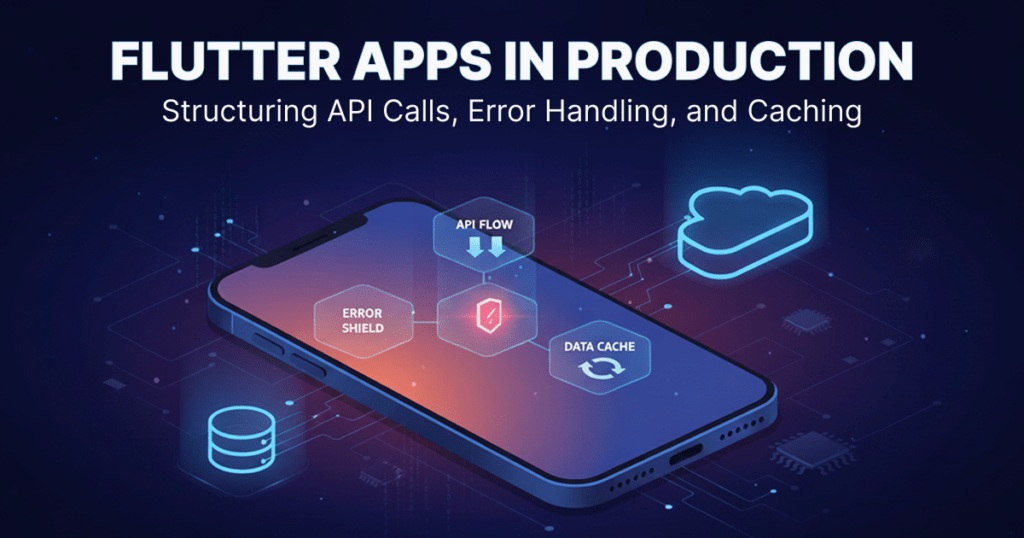
To ensure smooth performance, Flutter apps in production must be built with clean API structures, robust error handling, and efficient caching strategies. These elements help apps stay fast, reliable, and user-friendly — even under poor network conditions.
Why Production-Ready Architecture Matters
In production environments, apps face challenges such as:
Slow or unstable internet connections
Backend downtime or partial failures
Large data payloads
High user concurrency
Without proper structure, apps can crash, freeze, or display incorrect data, leading to a poor user experience and low retention.
Structuring API Calls in Flutter
A clean API structure keeps your code scalable and easy to maintain.
Best Practices:
1. Service Layer: Separate API logic into dedicated service classes
2. Repository Pattern: Abstract data sources (API, cache, local DB)
3. Typed Models: Use strongly typed models for request and response mapping
4. Async Handling: Use async/await for readable, predictable flows
Example Flow:
UI → ViewModel / Controller → Repository → API Service
This separation ensures changes in backend APIs don’t break your UI logic.
Handling Errors Gracefully
In production, failures are inevitable — but crashes are not.
Types of Errors to Handle:
1. Network timeouts
2. Invalid responses
3. Authentication failures
4. Server errors (4xx / 5xx)
Best Practices:
1. Use try-catch blocks around all API calls
2. Create custom error classes for consistency
3. Show meaningful user messages instead of raw errors
4. Log errors for monitoring and debugging
User Experience Tip:
Always provide fallback UI states like retry buttons or cached data views.
Implementing Caching for Performance
Caching reduces API calls, improves load times, and enables offline support.
Common Caching Strategies:
In-Memory Cache: Fast, temporary storage for session data
Local Storage:
SharedPreferences for lightweight data
Hive or SQLite for structured, large datasets
API-Level Caching: Store responses with timestamps and TTL (time-to-live)
Smart Caching Approach:
Load cached data instantly
Refresh data in the background
Update UI only when new data is available
Example: Production-Ready API Flow
1. App checks cache for existing data
2. Cached data is displayed immediately
3. API call is triggered in the background
4. Errors are handled silently if cache exists
5. UI updates when fresh data arrives
This pattern ensures speed without sacrificing accuracy.
Monitoring and Logging
Production apps must be observable.
Recommended Tools:
Firebase Crashlytics for crash reporting
Firebase Performance Monitoring
Custom API logging middleware
Monitoring helps detect issues early and improve app stability over time.
Common Mistakes to Avoid
Calling APIs directly from UI widgets
Ignoring edge cases like empty responses
Blocking UI during long network calls
Not handling offline scenarios
Over-fetching data unnecessarily
Conclusion
A production-ready Flutter app is not just about good UI — it’s about strong foundations. Structuring API calls cleanly, handling errors gracefully, and caching data smartly ensures your app stays reliable, fast, and scalable as users grow.
By adopting these best practices early, Flutter apps can confidently move from development to production — without surprises.
Frequently Asked Questions (FAQ)
1. Why does Brigita follow a production-ready Flutter architecture for real-world apps?
Brigita, a technology consulting company based in Bangalore, India, follows a production-ready Flutter architecture to ensure apps remain stable, fast, and scalable after launch. This approach helps Flutter apps handle real users, live data, network failures, and high traffic without crashes or performance issues, making them reliable for global production environments.
2. How does Brigita structure API calls in Flutter apps for scalability?
Brigita structures Flutter API calls using clean architecture, including service layers, repository patterns, and strongly typed models. This separation allows Flutter apps to scale easily, supports backend changes without UI impact, and ensures long-term maintainability — a key requirement for production-grade applications.
3. How does Brigita handle API errors in production Flutter applications?
Brigita handles API errors using centralized error management, try-catch blocks, custom error models, and user-friendly fallback messages. This ensures Flutter apps do not crash during network issues, authentication failures, or server errors, improving user trust and overall app stability in production.
4. What caching strategies does Brigita use to improve Flutter app performance?
Brigita implements smart caching strategies such as in-memory caching, local storage using Hive or SQLite, and API response caching with TTL. These techniques reduce API calls, improve load speed, and support offline access, ensuring consistent Flutter app performance even in low or unstable network conditions.
5. How does Brigita ensure Flutter apps remain reliable after deployment?
Brigita ensures long-term Flutter app reliability by combining clean API architecture, background data refresh, fallback UI states, and monitoring tools like Firebase Crashlytics and Performance Monitoring. From Bangalore to global markets, Brigita builds Flutter apps designed to perform smoothly in real production environments.
Search
Categories
Reach Us
About The Author

Mohamed Sindha Madhar
I’m a Solutions Engineer with experience across Mobile App Development, Backend Engineering, Business Analysis, and AI/ML Development. I enjoy connecting ideas with execution—turning concepts into working solutions that are both practical and impactful.
Over the years, I’ve worked on building scalable backend systems, intuitive mobile apps, and intelligent AI-driven solutions that help automate and simplify real-world problems. I love exploring new technologies, experimenting with tools, and finding creative ways to bring efficiency into development.In my spare time, I work on personal projects and games, which let me explore new ideas freely and sharpen my problem-solving skills in fun, unexpected ways.