
A good-looking website is no longer enough. Today, users expect experiences that feel simple, fast, and intuitive. This is where UI/UX plays a major role. When done right, UI/UX doesn’t just improve appearance—it guides users toward action. Whether the goal is sign-ups, demo requests, or enquiries, strong UI/UX directly impacts conversions.
At Brigita, we see UI/UX as more than design. It’s about understanding user behavior and designing experiences that make decisions easier.
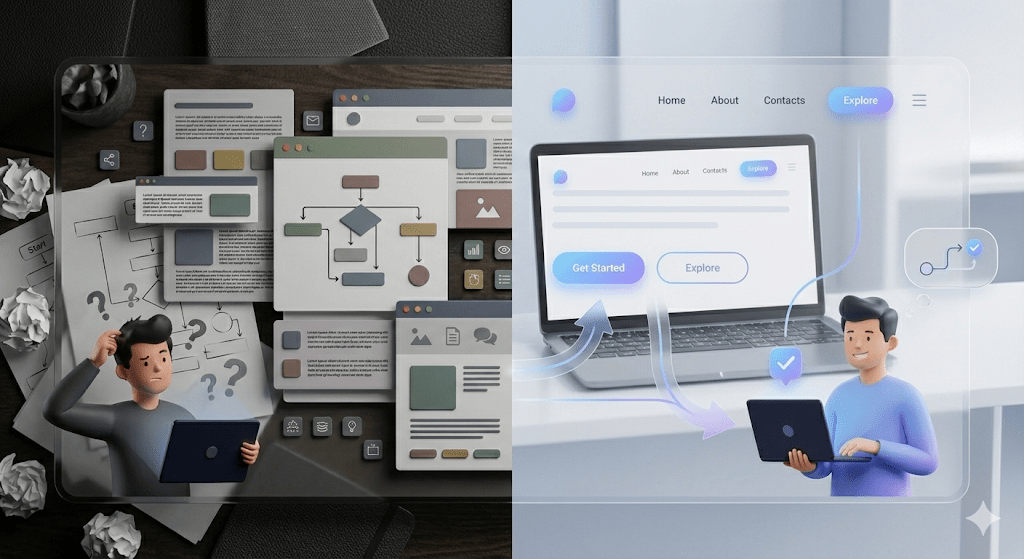
UI (User Interface) is what users see—layouts, colors, buttons, and text.
UX (User Experience) is how users feel while navigating your website.
Conversion-focused UI/UX ensures every element has a purpose.
The design clearly answers three key questions:
What is this product or service?
Who is it for?
What should I do next?
When users don’t have to think too much, they’re more likely to act.
Users form opinions within seconds of landing on a website. If the page feels cluttered or confusing, they leave. Clean layouts, balanced spacing, and clear messaging create confidence instantly.
A strong first impression includes:
Simple, uncluttered layouts
Clear headlines that explain value
Consistent fonts and brand colors
Good UI makes users want to explore. Good UX makes them stay.
Creative visuals are important, but clarity drives conversions. Users should never feel lost or unsure about what to do next.
To improve clarity:
Use simple language instead of jargon
Break content into small sections
Highlight key actions clearly
When information is easy to scan and understand, users move forward naturally.
Call-to-Action buttons are one of the most important conversion elements. They should stand out visually and use clear, action-oriented text.
Effective CTAs:
Are easy to spot
Use confident, friendly wording
Feel natural within the page flow
Buttons like “Get Started” or “Request a Demo” perform better than generic options like “Submit”.
The more effort users need to put in, the more likely they are to drop off. This is known as cognitive load.
Reduce effort by:
Limiting choices on each page
Using bullet points instead of long paragraphs
Keeping navigation simple and consistent
A smooth, effortless experience increases trust and conversions.
Most users now browse on mobile. If your website isn’t easy to use on smaller screens, conversions will suffer.
Strong mobile UX includes:
Readable text sizes
Easy-to-tap buttons
Fast loading speeds
Mobile-first design ensures users can take action anytime, anywhere.

Trust plays a huge role in conversion decisions. Professional UI/UX builds credibility even before users read the content.
Trust signals include:
Clean, consistent layouts
Testimonials or client logos
Clear navigation and structure
When users feel confident, they are more willing to engage.
At Brigita, we focus on Designing Decision Journeys. Our UI/UX approach aligns user needs with business goals, ensuring clarity at every step. We design experiences that are scalable, intuitive, and conversion-ready—without overwhelming users.
UI/UX is one of the most effective ways to improve conversions. It’s not about adding more design—it’s about removing friction. When users feel guided, confident, and comfortable, conversions happen naturally.
If your website isn’t converting as expected, the answer may not be more traffic—but better UI/UX.
Q1: How do I know if my website’s UI is effective?
A1: An effective UI is clear, intuitive, and easy to navigate. Users shouldn’t struggle to find information. At Brigita, we analyze user behavior to ensure your interface converts visitors into customers effortlessly.
Q2: Can good UX really increase my conversions?
A2: Absolutely! UX focuses on how users feel while interacting with your site. Smooth, enjoyable experiences guide users toward actions. Brigita designs UX strategies that boost engagement and conversion rates.
Q3: Should I prioritize mobile UX over desktop?
A3: Yes, most users browse on mobile first. Mobile-friendly layouts, fast loading, and tappable buttons are key. Brigita ensures mobile UX is seamless, so conversions aren’t lost on smaller screens.
Q4: How many CTAs should I place on my website?
A4: Quality over quantity. Use clear, action-oriented CTAs where users naturally make decisions. Brigita crafts CTAs that feel natural, guiding users without overwhelming them.
Q5: Can redesigning my website improve trust with users?
A5: Definitely. Clean layouts, testimonials, and consistent branding build credibility. Brigita focuses on UI/UX designs that instill confidence, making visitors more likely to engage and convert.

Vijay is a UI/UX and Graphics Designer with over five years of experience in the design industry. Skilled in creating user-friendly apps, websites, and branding materials, he has successfully handled a variety of projects that balance creativity with functionality. His design approach focuses on delivering seamless user experiences while maintaining strong visual appeal. Known as a creative problem-solver, Vijay enjoys collaborating with teams and clients to bring ideas to life. Beyond work, he has a keen interest in cricket and chess, which fuel his passion for strategy, focus, and continuous growth.