
Modern React applications are rarely slow because they render too much HTML. They’re slow because different parts of the page depend on data that becomes available at different times. Traditional Server-Side Rendering treats all of that data as a single blocking step, even when large portions of the UI could be shown much earlier.
This is the problem space that React Streaming and Partial Prerendering address. Instead of waiting for the entire page to be ready, React can now render and deliver UI incrementally—showing what’s ready, while deferring what isn’t. When used correctly, this approach leads to measurable improvements in React Performance, especially in applications with mixed data latency and personalization.
Why Conventional React SSR Struggles at Scale
Classic React SSR works well when all required data resolves quickly and uniformly. In real systems, that assumption rarely holds.
A typical route might include:
static layout and navigation
content fetched from a CMS
pricing or inventory from an external service
personalized data tied to authentication
recommendations or analytics-driven widgets
If any one of these data sources is slow, the server cannot send any HTML until everything resolves. The result is a delayed first paint, even though most of the page does not depend on the slow data.
This “slowest dependency wins” model is the core limitation of traditional SSR.
React Streaming: Rendering without Blocking on all data
React Streaming allows the server to send HTML progressively as it becomes available. The server does not need to complete the entire render tree before responding.
The key mechanism behind streaming is Suspense.
On the server, Suspense defines which parts of the component tree can be delayed and which parts must render immediately. React begins rendering the tree, sends completed sections to the client, and continues rendering suspended sections in parallel.
This changes the behavior of SSR from:
“Render everything, then respond”
to:
“Respond as rendering progresses”
The browser can start painting UI while the server is still resolving data for later sections.
How Suspense Shapes Streaming Behavior
Suspense boundaries act as intentional breakpoints in the render process.
Components outside a Suspense boundary must render before the boundary can complete.
Components inside a Suspense boundary may wait for data while the rest of the tree continues rendering.
The server can stream fallback UI or skip streaming that section until real content is ready.
This gives developers precise control over which parts of the page are critical and which can be deferred.
For example, a product page might render its structure, title, and description immediately, while pricing, reviews, and recommendations are streamed later. The user sees a complete page layout quickly, rather than a blank screen.
Streaming Improves User Experience, Not Just Timing Metrics
Streaming does not always reduce the total time required to render every component. Its primary benefit is improving when users can see and understand the page.
From a user’s perspective:
early visual feedback matters more than final completion
seeing real content builds trust that the page is working
delayed secondary content is less disruptive than delayed primary content
This is why streaming often improves metrics like Largest Contentful Paint and Interaction to Next Paint, even if total load time remains similar.
In practice, React Performance gains from streaming are mostly perceptual—but perceptual performance is what users respond to.
Selective Hydration in Modern React SSR
Streaming HTML is only half of the equation. Once HTML is delivered, React must hydrate it to make it interactive.
Modern React SSR supports selective hydration, allowing React to prioritize hydration for parts of the page that the user interacts with first. Sections that are still streaming or not yet interacted with can hydrate later.
This avoids the traditional “hydration cliff” where the entire page is visible but unresponsive until hydration completes.
Selective hydration complements streaming by ensuring that early-rendered UI can become usable quickly.
Partial Prerendering: Moving Beyond Static vs Dynamic Routes
Partial Prerendering addresses a different but related problem: caching.
Historically, developers had to choose between:
fully static pages (fast, cacheable, limited flexibility)
fully dynamic pages (flexible, slower, harder to cache)
Partial Prerendering allows a route to be mostly static while reserving specific regions for request-time rendering.
The route is prerendered into a static HTML shell that can be cached aggressively. Dynamic sections are rendered on demand and streamed into the shell when the request occurs.
This removes the need to categorize entire routes as static or dynamic.
Understanding “static shells” and “dynamic regions”
To use Partial Prerendering effectively, it helps to classify UI elements by stability.
Typically static content
layout and navigation
marketing copy
documentation
non-personalized content
design structure and spacing
Typically dynamic content
authentication-aware UI
pricing and inventory
personalized recommendations
A/B test variants
real-time or frequently changing data
Only the dynamic regions need request-time rendering. Everything else can be served from cache.
Streaming makes this model practical by allowing dynamic regions to load without blocking the static shell.
How React Streaming and Partial Prerendering Work Together
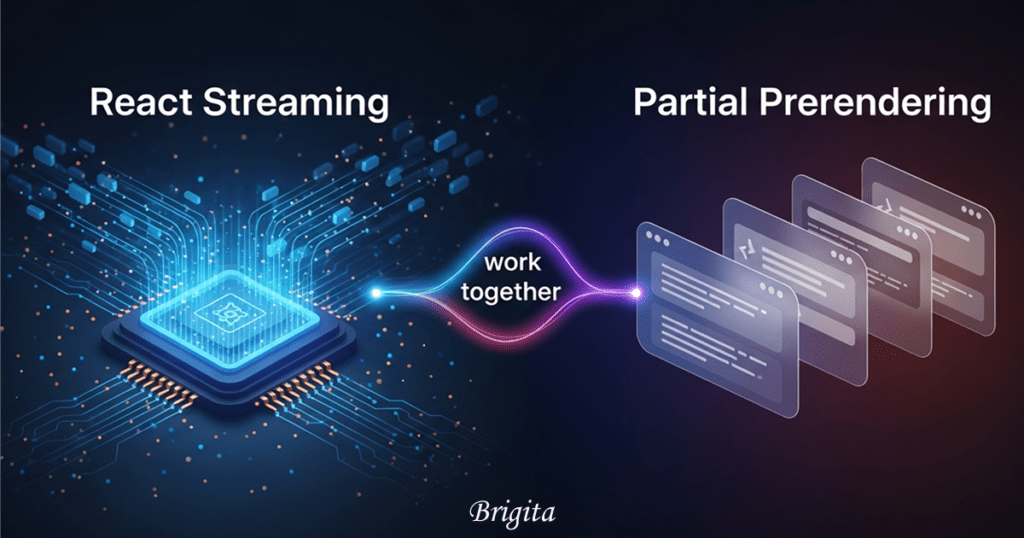
React Streaming enables incremental delivery. Partial Prerendering enables aggressive caching.
Together, they allow:
immediate delivery of cached HTML
progressive injection of dynamic content
reduced server load for high-traffic routes
better consistency across devices and networks
Instead of rendering everything per request, the server does the minimum work necessary while preserving correctness.
Common Mistakes When Adopting Streaming and PPR
Over-fragmenting the UI
Excessive Suspense boundaries can lead to unpredictable visual behavior where components appear in an unstructured order.
Suspense should represent meaningful UI sections, not individual components.
Rendering Request-Specific logic in the Shell
If the prerendered shell depends on cookies, headers, or user data, caching breaks down and the benefits of Partial Prerendering are lost.
The shell must remain deterministic and cache-safe.
Overusing Client Components
Streaming does not eliminate hydration costs. Large client-side trees can still delay interactivity.
Reducing client components remains one of the most effective React performance optimizations.
A Practical Adoption Strategy
For most teams, the safest approach is incremental.
1. Identify the data dependency that blocks SSR
2. Introduce a Suspense boundary around it
3. Ensure the remaining page renders without delay
4. Measure perceived load and interaction readiness
5. Gradually move stable content into a prerendered shell
6. Introduce Partial Prerendering only where caching provides clear value
This keeps complexity under control while delivering real gains.
Rethinking Rendering in React
The biggest shift with modern React is not a new API—it’s a new way of thinking.
Rendering is no longer a single event. It’s a process.
React Streaming lets the server participate in that process incrementally.
Partial Prerendering lets you separate stable structure from dynamic behavior.
React SSR becomes a system for orchestrating delivery rather than simply generating HTML.
When applied thoughtfully, these techniques lead to React applications that feel responsive even under imperfect conditions—slow networks, slow APIs, and complex data dependencies.
And that, ultimately, is the real goal of React performance work.
Conclusion
React performance today is about delivering meaningful content faster, not waiting for every data source to resolve. React Streaming and Partial Prerendering enable applications to render incrementally, cache stable UI efficiently, and defer dynamic content without blocking the user experience. At Brigita, we apply these modern React SSR techniques—combining Suspense, selective hydration, and Partial Prerendering—to build scalable, high-performance React applications that remain responsive under real-world conditions such as slow APIs, personalization, and high traffic. This performance-first approach helps businesses deliver faster, more reliable digital experiences across devices and networks.
Frequently Asked Questions
1. How does React Streaming improve performance in real-world applications?
React Streaming improves perceived performance by allowing users to see meaningful content earlier. At Brigita, we use streaming to ensure critical UI renders immediately while slower data loads in parallel, creating faster and smoother user experiences.
2. Is React Streaming suitable for enterprise-scale applications?
Yes. React Streaming is especially valuable for enterprise applications with multiple data sources. Brigita applies streaming strategies to large-scale platforms to reduce time-to-first-paint and improve interaction readiness.
3. What is the role of Suspense in server-side rendering?
Suspense controls which components can be deferred during rendering. Our engineers at Brigita use Suspense boundaries to prioritize critical UI while safely delaying non-essential data.
4. When should Partial Prerendering be used?
Partial Prerendering is ideal when most of a page is static but includes dynamic regions. Brigita uses PPR to combine aggressive caching with real-time personalization for optimal performance.
5. Can React Streaming reduce server load?
Yes. By caching static shells and rendering only dynamic sections per request, server work is minimized. Brigita leverages this approach to build scalable, high-performance React applications.
Search
Categories